Space Engineers 2 Connector: Docking, Landing Gear and Transferring Resources
- 🔗 What the Space Engineers 2 Connector Does
- 📦 Connector 0.5 m vs. 1.5 m
- 💡 How to Dock with the Space Engineers 2 Connector
- 🛠️ Landing Gear in Space Engineers 2: Parking and Towing
- ⚒️ Transferring Resources Between Ships
- ⚠️ Connector Stays Yellow or Won't Transfer
- 🧪 What the Space Engineers 2 Connector Still Lacks
- ❓ FAQ: Space Engineers 2 Connector
- ✨ Bottom Line
The Space Engineers 2 Connector locks two grids together magnetically when you press P. Once they're connected, power, gas and items can move between ship and station through the conveyor system. Keen Software House still lists the block with "limited functionality" since the survival update in December 2025, though, and you'll notice that when you dock.
This guide covers both sizes and their stats, the light sequence during docking, how the Connector works with Landing Gear and the most common reasons a connection stays yellow or won't transfer anything.
🔗 What the Space Engineers 2 Connector Does
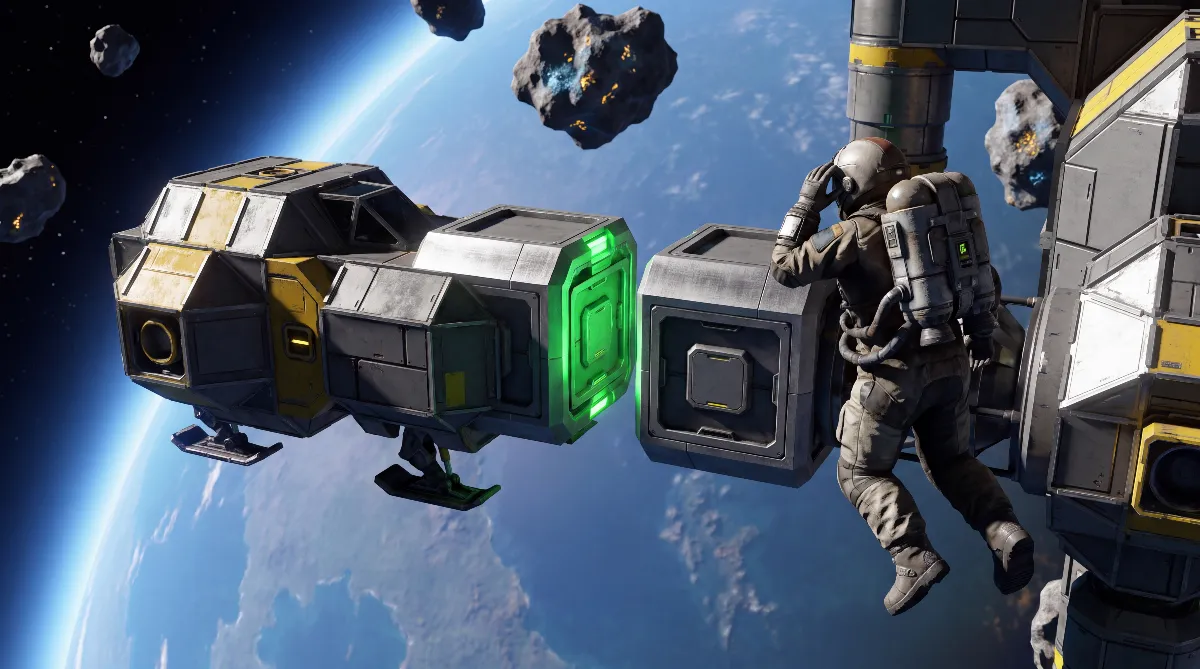
According to the community wiki, the Connector docks and undocks two grids magnetically. Once both sides are connected, the wiki describes power, gas and items moving between the inventories and conveyor networks of both grids. For as long as you stay docked, your ship and your base share one logistics network.
The block's history explains why you should treat it with some care. Keen introduced the Space Engineers 2 Connector in a Weekly Release on May 1, 2025, and back then it only snapped grids together for docking. According to that post, resource transfer would follow once the inventory system was in place.
That came with "Planets and Survival Foundations" on December 1, 2025, which gave every block an inventory. The same patch notes, however, describe the Connector as "limited functionality, ejector/connector functionality planned". We haven't found a later Keen announcement that explicitly lifts that limitation, including the patch notes for "Hostile Encounters" in October 2026.
📦 Connector 0.5 m vs. 1.5 m
Space Engineers 2 currently has two Connector sizes. The stats in the table come from the community wiki. Keen hasn't published them as official data sheets, but they're the best basis available for planning.
| Stat (community wiki) | Connector 0.5 m | Connector 1.5 m |
|---|---|---|
| Inventory | 4,200 kg | 16,800 kg |
| PCU | 600 | 600 |
| Components | 2 Electronic Parts, 5 Construction Component | 12 Electronic Parts, 30 Construction Component |
| Mass | no reliable figure | 289.9 kg |
| Power draw | none | none |
| Unlock | available from the start in survival | available from the start in survival |
Two things stand out. First, both sizes of the Space Engineers 2 Connector cost the same 600 PCU, which is more than a Landing Gear at 150 PCU. Second, the large version has four times the inventory, so it also works as a small buffer.
The community wiki's rule for choosing is simple: pick the size that matches your docking station and place the block where your ship can reach it without awkward maneuvering. A small scout ship doesn't need the 1.5 m version. A freighter at your main base benefits from the bigger buffer.
💡 How to Dock with the Space Engineers 2 Connector
Docking with the Space Engineers 2 Connector follows a fixed light sequence, which the community wiki describes like this:
- Yellow: both Connectors are close enough to connect.
- Blue: auto-align is running, then the connection locks in.
- Green: both grids are connected.
In practice, you fly in slowly until the light turns yellow, then press P. The game aligns both Connectors on its own, so you don't have to arrive with millimeter precision. Press P again to undock.
You can also connect and disconnect the Space Engineers 2 Connector from the terminal. That was broken for a while, and Keen fixed it with Hotfix 2.2.0.1977 on March 24, 2026. The terminal route comes in handy when you can't see the docking point well from the cockpit.
🛬 The Biggest Mistake on Approach
The community wiki is explicit here: if a Landing Gear magnetizes before auto-align kicks in, auto-align is cancelled. Your ship then sticks to the platform at an angle and the Space Engineers 2 Connector never links up.
So plan docking spots where your Landing Gears stay out of range of the platform during the approach. Or turn off Autolock on the Landing Gear while you dock and lock it afterward.
🛠️ Landing Gear in Space Engineers 2: Parking and Towing
According to the community wiki, the Landing Gear is a foot-shaped block with electromagnetic properties that lets a grid attach to surfaces. Unlike the Space Engineers 2 Connector, it doesn't transfer anything. It just holds on. In the terminal you'll find an Autolock toggle plus Lock and Unlock actions.
| Stat (community wiki) | Landing Gear 1 m | Landing Gear 5 m |
|---|---|---|
| Mass | 158.15 kg | 3,390.98 kg |
| PCU | 150 | 150 |
| Components | 6 Steel Plate, 1 Electronic Parts | 33 Heavy-Duty Plate, 1 Electronic Parts, 8 Motor |
| Unlock | available from the start in survival | Contract "Station Upgrade - Radio Beacon" |
Mounted under your ship, it holds you down on landing pads. Mounted at the front or sides, it turns your ship into a tug that pulls wrecks, other ships or loose objects. The same goes for ground vehicles, as our Space Engineers 2 rover guide explains.
Space Engineers 2 has no Magnetic Plate like the one in Space Engineers 1. Neither Keen's patch notes nor the community wiki list such a block, and the wiki category only contains the two Landing Gears.
⚒️ Transferring Resources Between Ships
Once the connection is green, open the terminal with TAB and go to Grid, then Inventory. The view is split in two: pick a different container on the left and right and drag and drop items between them. Double-clicking moves a whole stack, and holding Shift or Ctrl moves ten at a time.
For large amounts, the community wiki recommends conveyors. What matters is that the docking point is actually part of your ship's conveyor network and not built in isolation. How to chain production and conveyor routes cleanly is covered in our Space Engineers 2 automation guide.
A typical loop for a mining ship: drills fill the ship's containers, you dock at the base, and the ore flows through the shared network into the Smelter. Which ores are worth it is covered in our Space Engineers 2 ores guide.
⚠️ Connector Stays Yellow or Won't Transfer
This is where the Space Engineers 2 Connector's "limited functionality" shows most. Players report in Steam discussions that one ship transfers fine while a second one with an identical setup shows as connected but moves no items. These reports are individual cases, not bugs Keen has confirmed.
- Light stays yellow: a case like this was reported on Keen's support site in January 2026. Keen couldn't reproduce it in version 2.0.2.51, and users say saving and reloading helps.
- Connected, but no transfer: check that the docking point is hooked up to the conveyor network. As a workaround, players suggest moving goods directly through a container's port.
- Docked at an angle: almost always a Landing Gear grabbed before auto-align.
- Captured ships: players recommend rebuilding mission ships from a blueprint if transfers keep failing there.
🧪 What the Space Engineers 2 Connector Still Lacks
Eject mode, where an unconnected Connector throws items from the conveyor system into the world, is planned according to Keen and listed as a future feature on the community wiki. There's no date for it yet.
Blueprints have another limit: if you copy a blueprint with Connectors, rotors or pistons, Keen says only the main grid gets projected. The Hostile Encounters notes still list subgrid projections as "planned, but not fully supported yet." More on that in our Space Engineers 2 blueprint guide. And docking together with friends requires co-op, which the Space Engineers 2 roadmap doesn't plan until early 2027.
❓ FAQ: Space Engineers 2 Connector
Which key do I use to dock in Space Engineers 2?
Press P to connect two grids once the light is yellow. Press P again to disconnect. You can do both from the terminal too.
Why is my Space Engineers 2 Connector only yellow?
Yellow only means "close enough." If you press P and nothing happens, check whether a Landing Gear is blocking auto-align. If that doesn't help, players report that saving and reloading fixes the connection.
Can I transfer items between two ships?
Yes, through the terminal inventory or through conveyors once the connection is green. Keen still rates the feature as limited, though, and players occasionally report dropouts.
Is there a magnetic plate?
No. To hold something in place, use the Landing Gear in 1 m or 5 m.
How do I unlock the large Landing Gear?
According to the community wiki, through the contract "Station Upgrade - Radio Beacon". The 1 m version is available from the start.
Can the Space Engineers 2 Connector eject items?
Not yet. Keen plans an eject mode, but it isn't in the game.
✨ Bottom Line
The Space Engineers 2 Connector works, but it isn't a finished system. If you know the light sequence, keep Landing Gears out of the way on approach and reload when it acts up, you'll get by fine day to day. For your first ship, see our Space Engineers 2 ship building guide, and for an overview of every part, our Space Engineers 2 blocks guide.
Checked against Keen's sources as of November 2026: Weekly Release "Connectors and Armor Slope Transitions" (May 1, 2025), the "Planets and Survival Foundations" patch notes (December 2025), the VS2.2 release notes and Hotfix 2.2.0.1977 (March 2026), Community Feedback Update 2 (April 2026), the patch notes up to Hotfix 2.4.0.95 (August 28, 2026) and the "Hostile Encounters" patch notes (October 2026).
For the Connector, Hostile Encounters only lists a fix that makes the Connector 1.5 m accessible through the middle; the "limited functionality" note has not been lifted. Block stats, unlocks and controls come from the community wiki on wiki.gg, and the error cases from Steam discussions and Keen's support site. Neither is confirmed by Keen.