Space Engineers 2 Rover: Wheels, Suspension and Why Your Vehicle Tips Over
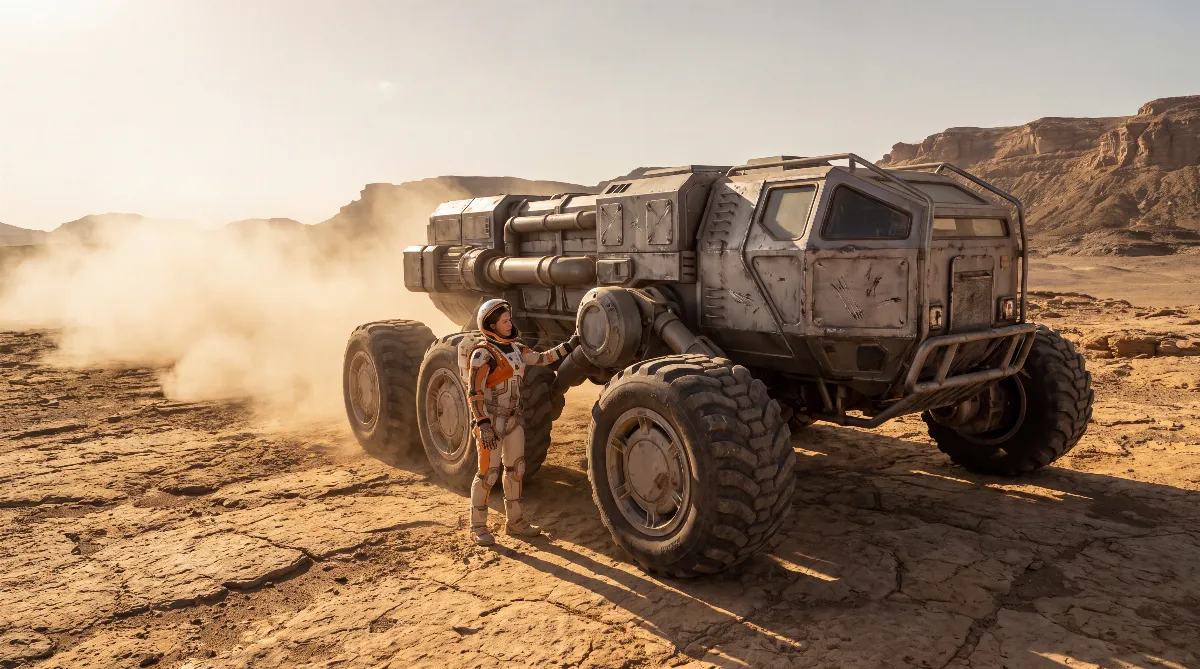
Building a Space Engineers 2 rover no longer takes mods or tricks: since the VS2.3 update on July 6, 2026, wheels are a regular block in six sizes from 1 to 12.5 meters. Each wheel handles suspension, steering, braking and drive in one part, controlled by three values: Damping, Stiffness and Acceleration.
Those three settings decide whether your Space Engineers 2 rover rolls over rubble or ends up on its roof in the first corner. This guide gives you concrete starting values instead of vague advice and explains why rovers tip over.
🛞 Space Engineers 2 Rover Wheels: All Six Sizes
The block is called Wheel Suspension and it's unlocked from the start in every survival world. Keen's VS2.3 announcement lists the sizes as 100, 150, 250, 500, 750 and 1250. Those are centimeters. The community wiki lists the same wheels in meters, from 1 m to 12.5 m.
| Wheel size | Internal value | Mass | PCU | Good for |
|---|---|---|---|---|
| 1 m | 100 | 43.12 kg | 600 | Small scout buggy, trailer, mini digger |
| 1.5 m | 150 | 56.09 kg | 700 | Light two-seater, your first survival rover |
| 2.5 m | 250 | 237.96 kg | 900 | All-rounder: hauler with a container and a drill |
| 5 m | 500 | 1,017.85 kg | 1,100 | Heavy ore hauler, mobile base |
| 7.5 m | 750 | 2,241.65 kg | 1,300 | Large vehicles for very rough terrain |
| 12.5 m | 1250 | 5,809.96 kg | 1,900 | Mobile factory, drilling platform on wheels |
Wheel mass matters more on a Space Engineers 2 rover than you'd think. Four 12.5 m wheels weigh over 23 tonnes together, which on a small grid is more than the rest of the vehicle. Rule of thumb: pick the smallest wheel that still clears your obstacles.
A 2.5 m wheel rolls over most of the boulders that stop 1 m wheels, yet it weighs only about a quarter of a 5 m wheel. For most players, that makes it the sweet spot for a working Space Engineers 2 rover.
If you're just starting out and don't know yet how grids, blocks and build mode fit together, read our Space Engineers 2 beginner's guide first. How building differs for the flying counterpart is covered in our guide to your first ship with grids and thrusters.
🔧 Tuning the Suspension: Damping, Stiffness, Acceleration
Every wheel has three settings in the terminal that matter. The wiki describes them like this: Damping makes the suspension more or less bouncy and absorbs ground impacts. Stiffness runs from 0 to 1.0. At 0 the suspension sags, mid-range values let it work on uneven ground, and 1.0 is rock hard. Acceleration is set in m/s² and controls how hard the wheels accelerate. The same value also affects braking.
Only those basics are documented. The starting values below are rules of thumb from play, so you don't start from zero on your Space Engineers 2 rover. You'll still need to fine-tune them for your vehicle's mass.
| Setting | What it does | Range | Light rover start | Heavy hauler start |
|---|---|---|---|---|
| Stiffness | Suspension hardness; 0 = sags, 1.0 = rock hard | 0 – 1.0 | 0.3 – 0.4 | 0.6 – 0.8 |
| Damping | High = less bouncing after impacts | Slider in the terminal | Medium to high | High |
| Acceleration | Drive and braking force in m/s² | Freely adjustable | Keep it low or the wheels spin | High, or the load won't make it up the hill |
The key connection people miss when tuning a Space Engineers 2 rover: Acceleration isn't just a speed slider. Because the same value controls the brakes, a rover with low Acceleration doesn't just brake weakly. It keeps rolling down a slope long after you've let off the throttle. If your vehicle slides when you stop, this value is almost always too low. The suspension isn't the problem.
On the other hand, a very high value on a light buggy makes the wheels spin and the rear end break loose. Set it so the wheels just barely grip, and only raise it once you're loaded.
⚠️ Why Your Space Engineers 2 Rover Tips Over
A Space Engineers 2 rover rarely flips for just one reason. It's almost always one of these four, and you can fix all of them:
- Center of mass too high. Cockpit, container and batteries stacked on top with the wheels underneath make a wobbly vehicle. Mount batteries, reactor and cargo as low as possible, ideally between the axles rather than above them. A full ore container on the roof shifts the center of mass up even more as you load it, and that's exactly when you tip.
- Track too narrow. A long, narrow chassis rolls sideways before the tires lose grip. Put the wheels as far out as you can. A rough guide is at least as wide as it is tall. On heavy builds, use six wheels on three axles instead of four. That spreads the load and keeps the nose from pitching.
- Suspension too soft. With Stiffness near 0, the suspension sags, the vehicle sways in corners, and the weight shift rolls you over. Raise Stiffness in 0.1 steps until the swaying stops.
- Suspension too stiff. The opposite mistake: at 1.0 there's no ground adjustment left. One wheel bounces over an edge, the diagonal lifts, and the rover lands on its side. If your vehicle hops over rubble instead of rolling, lower Stiffness and raise Damping.
Quick test for any Space Engineers 2 rover: slam the brakes at full speed on flat ground. If the nose dives hard, Damping is too low. If the rear lifts, too much mass sits too high.
🏜️ The Grip Trick: Downward Thrusters
Hardly anyone uses this one. For more grip in low gravity or on very steep hills, the community wiki suggests adding downward-facing thrusters to your rover. The logic is simple. Grip comes from downforce, and weak gravity is exactly where you lack it. Instead of making the vehicle heavier, you actively push it onto the ground.
In practice, mount one or two thrusters in the middle under the chassis, pointing down. On a moon, that turns a bouncing buggy into a Space Engineers 2 rover you can actually steer. Plan for two things: the thrusters need power or hydrogen, and the area under the exhaust has to stay clear of blocks. How to get power on board is covered in our Space Engineers 2 power guide.
✅ A Starter Build for Your First Rover
A solid first Space Engineers 2 rover doesn't need much: cockpit, battery, four wheels at 1.5 m or 2.5 m, a small container and a drill up front. That's exactly why it's worth building. In early survival it's cheaper than anything that flies, and safer in storms or rough terrain.
Where to drive it is covered in our guide to finding ores. For doors, lights and drills at the push of a button, see our Space Engineers 2 automation guide.
One more thing: put all four wheels on the same grid and mirror both sides cleanly. A wheel placed at the wrong angle pulls to one side when you accelerate. That's the most common reason a rover won't drive straight.
💡 FAQ: Building a Space Engineers 2 Rover
When were wheels added to Space Engineers 2?
With the VS2.3 update on July 6, 2026. Among other things, it added wheels in six sizes, hinges, warheads, missile turrets and automation blocks.
Which wheel size should I use for my first Space Engineers 2 rover?
1.5 m or 2.5 m. The 1.5 m wheels weigh only 56.09 kg each and are enough for a light scout. Once you're hauling ore, 2.5 m is the better pick. Those wheels roll over bigger obstacles and carry more weight.
What's the right Stiffness value?
There's no universal value because it depends on mass. Only the basics are documented: 0 makes the suspension sag, 1.0 makes it rock hard, and mid-range values adapt to uneven ground. Start a lightly loaded rover at about 0.3 to 0.4 and go up in 0.1 steps until it stops swaying in corners.
Why does my rover brake so badly?
According to the wiki, braking force depends on the Acceleration value. If you set Acceleration low to stop wheelspin, you weaken the brakes at the same time. On heavy vehicles, raise the value and go easier on the throttle instead.
Is a Space Engineers 2 rover worth it compared to a ship?
In early survival, yes. A rover doesn't burn hydrogen just to hover. For long distances and big height differences the ship still wins, and most bases end up with both.
Checked against the community-maintained Space Engineers 2 wiki (Wheel Suspension) and Keen Software House's VS2.3 announcement as of November 2026. Masses, PCU values and wheel sizes come from the wiki's block data. The Stiffness and Damping starting values are rules of thumb from play, not official numbers. The patch notes for the "Hostile Encounters" update (October 2026) list no changes to wheel suspension; the only wheel-related entry is a sensor fix. Space Engineers 2 is in alpha, so values may change with future updates.