Planet Crafter Drones: Drone Station, Supply and Demand and Power Cost
- 🔓 When Planet Crafter drones unlock
- ⚒️ Drone station and drones: all recipes
- 💰 What automation really costs: 850 kW per station
- 🔧 Supply and Demand: how to get drones flying
- 📍 Range, speed and the 25-drone mark
- 🚫 What Planet Crafter drones can't do
- 🌑 Drones on Skeo: what to pack first
- 💡 Setup tips
- ❓ Planet Crafter drones FAQ
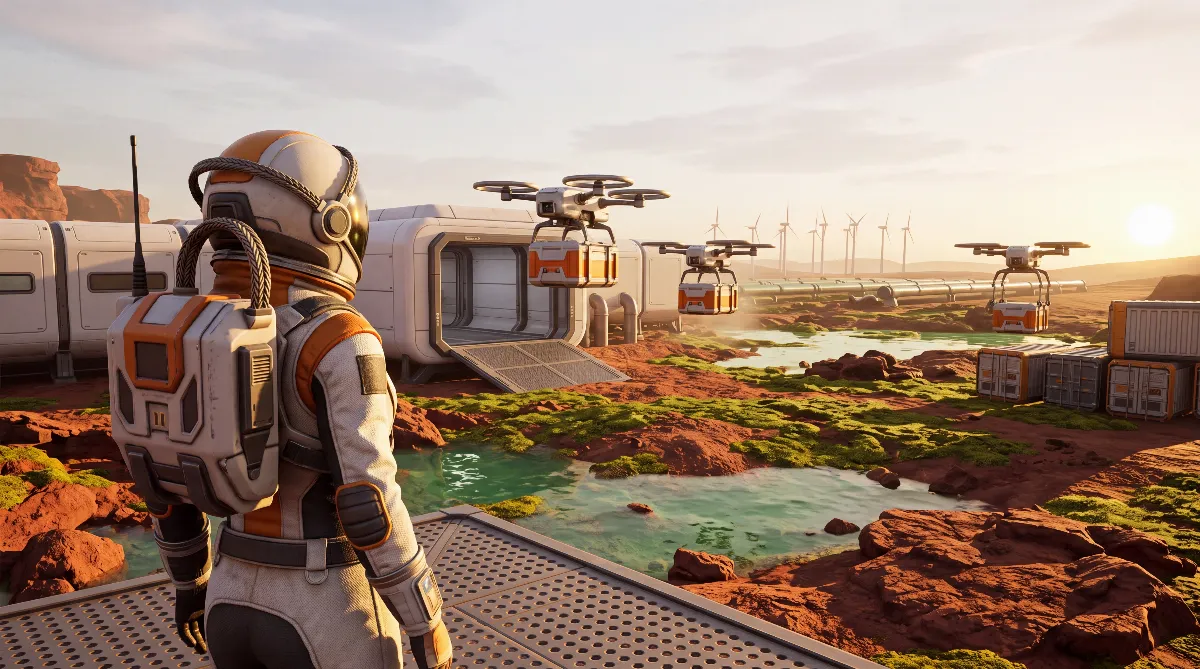
Planet Crafter drones take over all transport between your machines once you unlock the Drone station, according to the planetcrafter.th.gl game database at 40 GTi. They fly across the whole map with no range limit and need no fuel. But they won't move an inch until one container is set to Supply and a second one to Demand.
That's exactly where most players get stuck: the station is built, the drones sit inside and do nothing. This guide covers every recipe up to the T3 Drone, the settings in the gear menu, and the actual power cost of your logistics network.
🔓 When Planet Crafter drones unlock
The Drone station isn't a blueprint you buy. It's a terraformation unlock that appears in the build menu once your Terraformation Index is high enough. The game-data database planetcrafter.th.gl, which reads its values from the game files, lists 40 GTi. According to the patch notes, Miju Games moved this unlock earlier several times, most recently in February 2025, which is why older guides still quote 62.50 or 78 GTi.
Thresholds move with patches, so use the trick from our terraformation stages guide: hover over the locked entry in the build menu, and the game shows you the real value for your version.
For perspective: according to the patch notes, the last terraformation stage on Prime ends at 4 TTi. In absolute terms, 40 GTi is exactly one percent of that. Measured in play hours it lands much later, because the index grows exponentially.
⚒️ Drone station and drones: all recipes
The station is the expensive part. The drones inside are cheap. According to planetcrafter.th.gl, a Drone station has 25 storage slots, so it holds 25 drones. All drones are crafted directly at the Drone station.
| Part | Recipe | Source |
|---|---|---|
| Drone station | 1x Osmium Rod, 1x Fusion Energy Cell, 1x Super Alloy Rod, 3x Circuit board | planetcrafter.th.gl |
| T1 Drone | 1x Rocket Engine, 1x Circuit board, 1x Iron | planetcrafter.th.gl |
| T2 Drone (faster) | 1x T1 Drone, 1x Super Alloy, 1x Explosive powder | planetcrafter.th.gl, patch notes v2.102 |
| T2 Drone blueprint | unlocked once with Terra Tokens via the Trade space rocket | patch notes v0.8.005/0.8.006 |
| T3 Drone (way faster) | 1x T2 Drone, 1x T2 Rocket Engine, 1x Magnetar Quartz | planetcrafter.th.gl, patch notes v2.102 |
The T3 Drone arrived with the Skeo update (v2.102, September 1, 2026). According to the patch notes it unlocks via the System Terraformation Index (SysTi), the combined progress of all your planets. The T2 Drone works differently: it doesn't come from terraforming progress. You unlock its blueprint with Terra Tokens, as explained in our Trade Rocket guide.
According to planetcrafter.th.gl, the Osmium Rod and the Fusion Energy Cell behind the station are both made at the Advanced Craft Station. How they fit into the late-game chain is covered in our endgame guide.
💰 What automation really costs: 850 kW per station
Most guides underestimate this. A Drone station draws 850 kW according to planetcrafter.th.gl. Players report that it draws that constantly, whether the drones are flying or parked. Compared with the generator values from the same database:
| One Drone station equals | Math |
|---|---|
| about 57 percent of a Nuclear Fusion generator | 850 of about 1,490 kW (1.49 MW) |
| about 2.6 T2 Nuclear Reactors | 850 divided by 331.5 kW |
| almost 10 T1 Nuclear Reactors | 850 divided by 86.5 kW |
| about 708 Wind turbines | 850 divided by 1.2 kW |
One player in the Steam forum reports 300 drones on twelve stations. By this math, that's about 10,200 kW (10.2 MW) for logistics alone, more than six fusion generators before a single terraforming machine runs. So build the reactor block first, then the station.
🔧 Supply and Demand: how to get drones flying
The system works on supply and demand, and both sides have to be set. Once a Drone station exists, every supported container gets a gear icon.
- Supply: what this container or machine gives into the network. Typical for Ore Extractors, harvesters and Auto-Crafter output slots.
- Demand: what should be brought into this container. Typical for your storage at the base and for machine input slots.
- Priority: the higher number gets served first. A setup that works well is priority 1 for main storage and 0 for overflow crates that take whatever doesn't fit anywhere else.
- The three-arrow button: besides picking single items, there's a bulk option that offers everything from a container instead of clicking each resource. With extractors that produce random output, that saves a lot of clicks.
The most common forum complaint: the drones won't leave the station. The cause is almost always the same. One of the two sides is missing. An experienced player sums it up: drones won't pick up larvae or water from collectors unless both Supply and Demand are set.
📍 Range, speed and the 25-drone mark
One line from the Steam forum clears up the biggest misunderstanding: "Drones have no range limit and need no fuel." There's no radius around the station. Players send T1 drones to fetch Uranium from mines in the east and northwest, and T2 drones to haul Obsidian from the volcano area to a central base.
Distance still costs time. The closer the station sits to the work, the more trips the same drone completes. For remote outposts, a separate station beats adding more drones at the main base.
There are two practical limits at the top end. A station holds 25 drones, and players report that errors pile up above roughly 200 to 300 drones in total.
One player with 300 drones on twelve stations describes vanished deliveries and trips to targets without demand. Another with 600 drones says priorities barely work anymore: trade ships stay empty, Auto-Crafters overflow, and the drones are busy elsewhere. Past a certain point, more drones aren't the fix. They're the problem.
🚫 What Planet Crafter drones can't do
- Pick loose items up from the ground. Drones only access inventory slots. According to the patch notes (v0.8.006), they do collect algae, vegetables, wheat and cocoa from the machines that grow them, and since v2.103 wheat and cocoa seeds can be moved through logistics too.
- Work without power. One player reports his drones stopped for good after a power outage. At 850 kW per station, a tight grid is exactly what triggers that.
- Think ahead. They fill free slots but don't recognize usage patterns. Bigger storage at the destination keeps a long trip from failing at a full container.
- Move without both sides. No Supply or no Demand means no movement. That's not a bug, it's the basic rule of the system.
🌑 Drones on Skeo: what to pack first
On the moon Skeo the math gets uncomfortable. Blueprints travel with you, materials don't. Unlocks apply to the whole save, as our new planet packing guide explains. You can build right away if you have the parts.
The parts are the problem. According to player reports and the community wiki on planet-crafter.fandom.com, Skeo only has Iron, Magnesium, Silicon, Cobalt, Titanium, Sulfur, Osmium and Amber, but no Aluminum and no Uranium. Miju Games itself describes Skeo as a moon with basic resources only. That covers the Osmium Rod locally, but not the Fusion Energy Cell or the Super Alloy Rod. Both belong in the cargo hold, together with three Circuit boards and the Rocket Engines for your first drones.
This packing list is my own conclusion, not a developer statement: it combines the recipe list above with the Skeo resource situation, as documented in our article on Amber on Skeo. That article also explains why the effort pays off. Amber sits under the Ore Extractor and has to get from there to your base, the exact route you'd otherwise fly yourself. For the moon in general, read our Skeo guide.
💡 Setup tips
- Put the station near the extractors, not in your living dome. Flight time sets your throughput.
- Start with five drones. Only add the next one when a route visibly falls behind.
- Build an overflow crate with priority 0. The Ore Extractor and T2 Ore Extractor produce random ores. Without a target for the rest, the output clogs.
- Prefer the T3 Ore Extractor. According to planetcrafter.th.gl it mines the ore you select, which saves overflow crates.
- Plan a power reserve. Count on a bit more than half a fusion generator per planned station before you build it.
- Combine Auto-Crafters and drones. The Auto-Crafter processes resources from its surroundings, and the drone carries the result away.
❓ Planet Crafter drones FAQ
When can I build Planet Crafter drones?
Once the Drone station unlocks, at 40 GTi according to planetcrafter.th.gl. Older guides still say 62.50 or 78 GTi because the unlock was moved earlier in several patches. The build menu shows the value for your version when you hover over the locked entry.
Why won't my drones fly?
Because one side is missing. Use the gear icon to set Supply at the source and Demand at the target for the same resource. Only then does a drone launch. Also check that the station has power.
Do drones have a range limit?
No. Players consistently report that drones have no range limit, need no fuel and cover the whole map. Distance only affects speed.
How many drones fit in a station?
25. The Drone station has 25 storage slots according to planetcrafter.th.gl. Above roughly 200 to 300 drones in total, players report lost deliveries and priorities that stop working. Those are community reports.
Is there a T3 Drone?
Yes. It came with the Skeo update (v2.102) and unlocks via the System Terraformation Index. You craft it at the Drone station from a T2 Drone, a T2 Rocket Engine and Magnetar Quartz. The T2 Drone blueprint is unlocked with Terra Tokens via the Trade space rocket.
Can drones harvest algae and plants?
Partly. According to the patch notes (v0.8.006), drones collect algae, vegetables, wheat and cocoa from the machines that grow them. Loose items lying in the world are not picked up.
Checked against the patch notes by Miju Games on Steam, the planetcrafter.th.gl game database (recipes, crafting stations, unlock values, 25 slots, power values), the community wiki on planet-crafter.fandom.com (Skeo resources) and player reports in the Steam discussions for app 1284190, as of October 2026 (main branch v2.103, Skeo update).
Community figures without developer or database confirmation: the constant power draw while idle, the missing range limit, the error buildup above 200 to 300 drones and the resources on Skeo. The power comparisons are calculated from 850 kW and the generator values (the database writes "W", the game shows the same numbers in kW), and the Skeo packing list is derived from them.