Dune Awakening Stuttering Fix: Sandstorm FPS Drops and Shader Stutter
- 🌪️ Dune Awakening Stuttering in Sandstorms: The Official Workaround
- ⚠️ Frame Gen Says It's On, but It Isn't
- 🔧 Shader Stutter: What Patch 1.4.10.0 Actually Changed
- 🖥️ Coriolis Storm: Better Visibility, Fewer Particles
- ⚠️ Crashing or Freezing During Shader Compilation
- ✅ Symptom, Cause and Fix at a Glance
- 💡 FAQ: Dune Awakening Stuttering
- 🔧 When Dune Awakening Stutters: What Not to Do
Dune Awakening stuttering usually doesn't happen all the time. For most players it shows up in two clearly separate spots: when a sandstorm fades out, and when shaders load for the first time mid-game. For the sandstorm drop, Funcom has documented an official workaround, and it isn't "turn everything to low". It's a single driver option.
Shader stutter was cut down a lot by Patch 1.4.10.0 and its hotfixes with PSO caching. If you still get hitches after that, you're dealing with a third, completely different problem. This guide keeps those cases apart.
The order matters. If you lower sliders at random, you lose image quality and don't fix the cause. Work through this from top to bottom.
🌪️ Dune Awakening Stuttering in Sandstorms: The Official Workaround
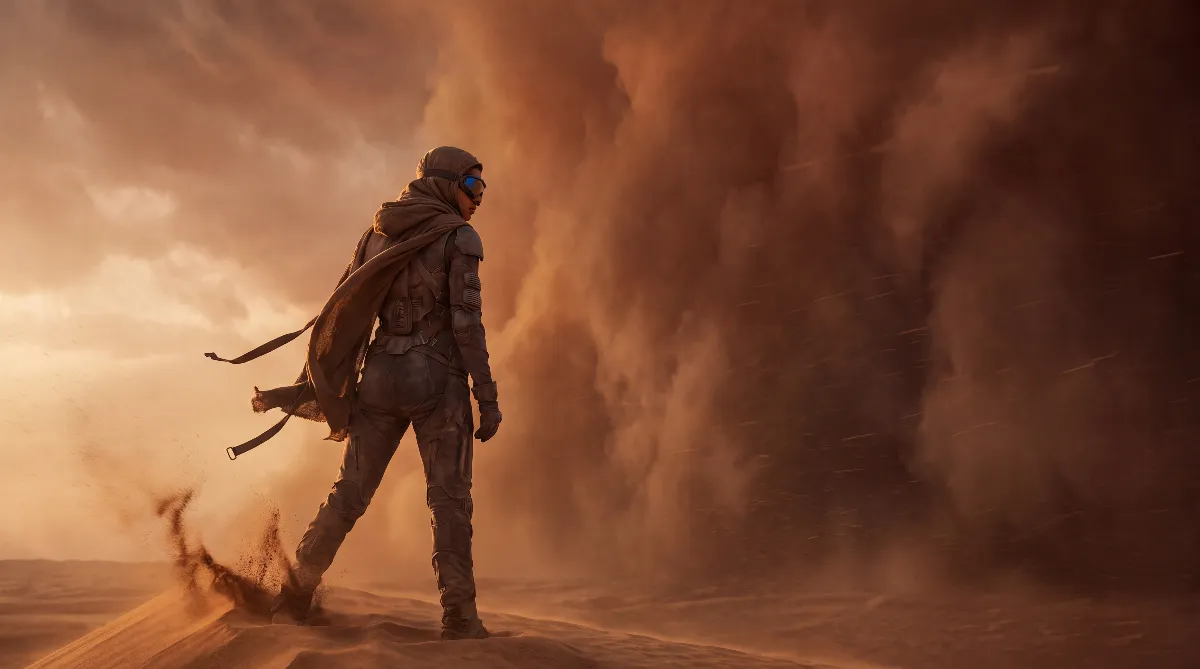
Funcom's known issues list (as of May 19, 2026) has this entry word for word: "Possible performance degradation during the fade-out period of the sandstorm." It's not the storm itself, but the phase where it fades out. That's exactly when frames drop, even though less is happening on screen.
The workaround is one line: "Disable GPU Super-Resolution in the driver." The key part is in the driver. This isn't about DLSS, FSR or XeSS in the game menu, but about the upscaling your graphics driver puts on top of the finished image. Here's how:
- NVIDIA: open the NVIDIA Control Panel → Manage 3D settings → turn off Image Scaling and DLDSR factors → apply.
- AMD: open AMD Software: Adrenalin Edition → Gaming → Graphics → turn off Radeon Super Resolution (RSR).
- Intel: open the Intel graphics control app → check the display and scaling settings → switch off every upscaling and super resolution option.
The upside: you keep your in-game image quality completely and only switch off a driver feature many players never consciously turned on. RSR and NVIDIA Image Scaling often got enabled for some other game at some point and then forgotten.
⚠️ Frame Gen Says It's On, but It Isn't
A second entry on the same list explains why Dune Awakening stutters without the graphics being at fault: "The game client can boot with framegen disabled and incorrectly list it as enabled." So the menu shows Frame Generation as active even though it was quietly turned off at startup.
Funcom's workaround: "Re-enable this setting for it to work again as intended." In other words: switch it off, confirm, switch it back on, confirm. If your frame rate has been cut in half for no reason since a restart, check this first.
🔧 Shader Stutter: What Patch 1.4.10.0 Actually Changed
Shader stutters are short hitches when an effect appears for the first time and the engine has to compile it right then. Funcom worked on this with Patch 1.4.10.0 (June 24, 2026) and the hotfixes after it:
- 1.4.10.0: "under-the-hood cleanup in Hagga Basin to improve the overall game performance" plus optimized memory use for distant shadows.
- Hotfix 1.4.10.1 (July 1, 2026): "Further improvements to considerably reduce PSO stutters in the game."
- Hotfix 1.4.10.3 (July 14, 2026): "Improved PSO caching coverage to reduce shader compilation stutters during gameplay."
PSO stands for Pipeline State Object. Put simply: instead of building each shader only when you see the effect, the game stores those states in a cache ahead of time.
Two things follow from that. First, if you haven't played since June, you remember a state of the game that no longer exists. Second, after every graphics driver update and after bigger patches, that cache gets thrown out and rebuilt. The first few minutes after that stutter noticeably more. That's expected and settles on its own. Only if it still stutters the same way after half an hour is it no longer the cache rebuilding.
🖥️ Coriolis Storm: Better Visibility, Fewer Particles
The same patch also touched visibility during the Coriolis storm build-up in the Hagga Basin. Word for word: "Improved visibility during Coriolis build-up in Hagga Basin. Wind particles were removed, and the buildup duration was increased. For the final hour of the storm build-up, the fog density was decreased."
Funcom presents this as a visibility improvement, not a performance fix. Still, fewer wind particles and lower fog density take load off the GPU during that phase. That matters for troubleshooting: if Dune Awakening stutters while a storm builds up in the Hagga Basin today, it's no longer the same case older guides describe, so check the driver workaround above. For everything beyond the Hagga Basin, see our Deep Desert PvE guide; those sectors behave differently from the starting area on the technical side too.
⚠️ Crashing or Freezing During Shader Compilation
This is a separate problem and has nothing to do with frame rate. Funcom's Help Center names a specific fix: open %userprofile%\AppData\Local\DuneSandbox\Saved\Config\WindowsClient\Game.ini, find the [Settings.Video] section and add LimitProcessCpuUsage=1 if the line is missing. After saving, the game starts in CPU limiter mode. Funcom says openly that this costs client performance but improves stability a lot. It's a trade-off, not a free fix. Only use it if you can't get into the game otherwise.
For 13th and 14th gen Intel CPUs with "Out of memory" errors, Funcom also recommends a BIOS update to at least microcode 0x12B, ideally 0x12F. That exact pattern dominates the Steam threads about crashes during shader compilation, and players report a BIOS update plus Intel's baseline profile as the working fix. For AMD systems there's currently no official Funcom instruction; reports there are isolated cases.
✅ Symptom, Cause and Fix at a Glance
The short version for everyone with Dune Awakening stuttering: identify the case first, then act.
| Symptom | Likely cause | Fix |
|---|---|---|
| FPS drops while the sandstorm fades out | Known issue linked to driver-side upscaling | Disable GPU super resolution in the driver (RSR, Image Scaling, DLDSR) |
| Frame rate roughly halved since launch, menu shows frame gen as on | Client starts with Frame Generation disabled and reports it wrong | Turn the setting off and on again |
| Short hitches on new effects, enemies, vehicles | Shaders compiling at runtime (PSO cache still empty) | Update to 1.4.10.3 or newer, play 20 to 30 minutes after a driver update |
| Crash or freeze already during shader compilation | CPU load, often degradation on 13th/14th gen Intel | LimitProcessCpuUsage=1 in Game.ini, update the BIOS microcode |
| Stuttering only in towns, base clusters and with many players | Density performance that Funcom lists as an open issue | No real client fix; only patches, a quieter server or a solo session help |
| Rubber-banding and delay instead of real FPS drops | Network or server issue, not graphics | Check your server choice, leave the graphics alone |
💡 FAQ: Dune Awakening Stuttering
Do I have to turn off DLSS or FSR in the game?
No. The official workaround explicitly names super resolution in the driver, and the steps all lead to the NVIDIA Control Panel, AMD Adrenalin or Intel's graphics app. In-game upscaling stays on.
How do I tell shader stutter from a server problem?
Shader stutters are very short, hard hitches the first time an effect appears, and they don't repeat at the same spot. Network problems feel different: enemies teleport, actions lag behind, and the frame rate stays high. If you suspect your server, our Dune Awakening server transfer guide explains what moving costs you. Alternatively, see our guide to running a Dune Awakening self-hosted server.
Does single-player mode give more FPS?
Funcom lists performance drops in areas with many players as a known issue. A session without other players naturally removes that factor, but it doesn't replace the driver workaround or a current patch. According to the Update 1.5 patch notes, single-player mode also lets you disable sandstorms entirely in the settings, which removes the fade-out drop as well. What the mode can and can't do is covered in our Dune Awakening single-player guide.
Does a big base cost frame rate?
Funcom listed high object density as an open performance issue without giving specific building limits. According to its patch notes, Update 1.5 improves client performance and memory use when you're surrounded by a lot of buildings. From experience: if you build tightly packed, you notice it around your own base first. For planning help, see our Dune Awakening base building guide.
Did performance get better with the console release?
In its known issues list, Funcom had announced further optimizations with a special focus ahead of the console launch. Update 1.5 went live on all platforms on September 17, 2026, and the regular console launch followed on September 22, 2026. The 1.5 patch notes list "Major performance improvements and optimizations" in general terms, plus optimizations to lighting, materials and visual effects and better client performance around lots of buildings. They say nothing specific about the sandstorm drop, the frame gen display or shader stutter. Whether the problems described here are gone on your system is best checked with the steps above. The hotfixes since then, up to 1.5.3.7 (October 9, 2026), only mention general server and client stability improvements, with no specific stutter fix.
🔧 When Dune Awakening Stutters: What Not to Do
Setting everything to low across the board is the most expensive route with the smallest payoff. Hands-on tests like GameSpot's point to shadows and reflections as the biggest cost factors, so you lower two sliders on purpose instead of twelve. And only change one thing at a time: if you touch the driver option, the preset and Game.ini all at once, you won't know afterwards what helped. Gear for when the frame rate is fine again is in our Dune Awakening best builds guide.
As of October 11, 2026: current build Hotfix 1.5.3.7. Sources: Funcom's known issues list on Steam (as of May 19, 2026), the patch notes for 1.4.10.0 including Hotfixes 1.4.10.1 and 1.4.10.3 on duneawakening.com, the Funcom Help Center entry on crashes during shader compilation and the official Update 1.5 "Console Release Patch Notes" including hotfixes up to 1.5.3.7. Whether the sandstorm and frame gen entries are still on Funcom's current known issues list wasn't checked again for this version. Passages marked as experience are editorial assessment. More guides on the Dune Awakening hub.