SpaceCraft Environmental Hazards: Surviving Heat, Cold and Pressure
- 🌡️ How SpaceCraft Calculates Temperature
- ❄️ Cold: Why Your Ship Freezes on Ice Planets
- 🔥 Heat: Overheating Rarely Comes from the Sun
- 💧 Pressure: The Third and Most Underrated Hazard
- 🗺️ Before You Fly In: Sizing Up a Planet
- ⚒️ Upgrade Order Against SpaceCraft Environmental Hazards
- 💡 Four Quick Fixes Before Your Next Approach
- ⚠️ Common Mistakes with Environmental Hazards
- ❓ Frequently Asked Questions about SpaceCraft Environmental Hazards
SpaceCraft environmental hazards are not a combat system, they are physics: cold, heat and water pressure wear down your ship as soon as you approach a planet. Keep an eye on all three and you lose neither equipment nor an entire mining run.
The game only explains these environmental hazards in passing, and that's exactly why so many pilots get stranded on their second or third planet. This guide sorts out what each of the three hazards actually triggers, which parts help against it and in which order you should upgrade.
🌡️ How SpaceCraft Calculates Temperature
In SpaceCraft, temperature is not a single bar but the result of two directions: the heat your ship generates itself, and what the environment draws out of it or forces onto it. Shiro Games introduced a dedicated stat for this in the beta patch notes.
According to the official patch notes, version 0.1.17033 added the Heat Interface Material stat to ship parts, explicitly so players can better understand how heat interacts between parts. Today's game data lists heat values for every hull part, such as Heat Capacity and Material Heat Conductivity.
The second lever is System Support, measured in SP. Every module requires SP, and your hull provides it. You'll find the details on how the two interact in our guide to SpaceCraft modules.
❄️ Cold: Why Your Ship Freezes on Ice Planets
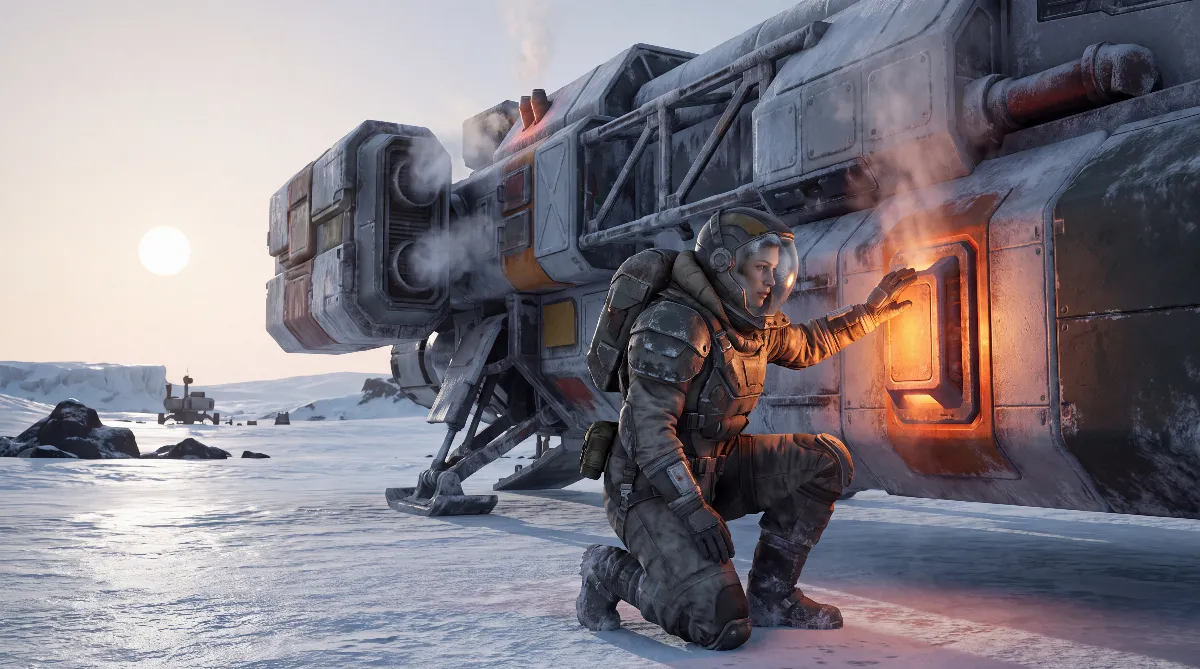
Cold is the environmental hazard most players fail at first. A thin or missing atmosphere in space draws off hardly any heat, but a cold planet with an atmosphere certainly does. So your ship cools down much faster on the ground than in orbit.
The counter is officially documented: according to the patch notes for version 0.2.19719, heater modules can be crafted from Science level 5. That's the hard threshold at which truly cold worlds become reasonably reachable at all.
The game data currently lists two of them, the Electric Heater and the Boiler Heater. According to spacecraftdb.com, the Electric Heater comes with the Heat Management permit, turns power into heat and needs 50 SP of System Support itself.
Until then, there's a trick the community describes in the Steam forum that is not officially confirmed: mining lasers and boosters generate heat themselves. If you keep drilling or boosting between two mining spots, you keep the temperature up and can work an ice world practically indefinitely.
Also a community claim, but useful: thermal insulation doesn't prevent freezing, it only slows it down. Forum reports describe planets at −19 °C as harmless and values around −84 °C as a serious problem. These numbers come from player reports, not from Shiro Games.
Important for planning: heat loss depends on your time on the surface, not on flight time. A quick detour to a deposit is doable without a heater, a long mining session is not. Working on the night side of a cold planet also costs you the warming from sunlight, so you need a bigger energy reserve.
🔥 Heat: Overheating Rarely Comes from the Sun
This is the biggest misconception. When players overheat, they usually blame the planet, but the cause almost always sits in their own design. Overheating is first and foremost an SP problem.
According to player reports in the Steam forum, efficiency drops and heat is dissipated less effectively as soon as the SP demand of your modules exceeds the System Support of your hull. Thrusters and lasers then run hot even though the planet isn't extreme at all. That matches the System Support mechanic that also tips the balance in ship building.
This leads to a rule that seems wrong to many at first: extra radiators make things worse as long as you are over your SP limit. They cost SP themselves and so increase exactly the deficit that causes the heat. This observation comes from the Steam forum and is not officially confirmed.
The right way to fight heat therefore runs through the hull and through cutting back: remove unnecessary batteries and cargo containers, add support-providing hull (Steel, Titanium or Levinium) or build one size class up. Only once your SP balance adds up do cooling parts pay off.
A side effect many overlook: the same SP balance also decides how well you cope with cold. An overloaded ship heats worse and cools down faster. Heat and cold in SpaceCraft are not separate problems but two symptoms of the same design.
💧 Pressure: The Third and Most Underrated Hazard
Water is an environmental hazard of its own in SpaceCraft, and it is officially documented. The beta patch notes for version 0.1.17033 explicitly mention a first iteration of pressure gameplay when ships dive underwater.
Three consequences of this are also officially on record:
- Your character loses health underwater and dies if they stay submerged too long.
- Ships can no longer land underwater.
- Buildings can no longer be deployed underwater, which matters when you pick the site for your first base.
In practice: a wet planet won't cost you hull, but it will cost you time and building space. Before you fly in, check whether your target deposit is actually on land.
Because buildings are blocked in water zones, pressure mainly shifts your logistics. A deposit right behind the shoreline forces you into longer transport routes over land instead of placing your base right next to it.
🗺️ Before You Fly In: Sizing Up a Planet
Most losses from environmental hazards don't happen in an emergency, they happen on an unprepared launch. Three questions before every approach are enough to save the run.
First: is my Science level high enough for a heater module if the target is a cold world? Second: does my SP balance add up, or am I launching a ship that already runs too hot at idle? Third: is the target deposit on land?
This order is deliberate. Equipment helps against cold, only a better design helps against heat, and only planning helps against pressure. So the first of the three environmental hazards is the only one you can buy your way out of.
⚒️ Upgrade Order Against SpaceCraft Environmental Hazards
| Hazard | How to spot it | Countermeasure | Evidence |
|---|---|---|---|
| Cold | temperature drops faster on the ground than in orbit | heater module from Science level 5; before that, lasers and boosters as a heat source | module official, trick from the community |
| Heat | thrusters and lasers overheat even on moderate planets | fix your SP balance: remove modules or enlarge the hull | SP values from the game data; link to overheating and radiator paradox from the community |
| Pressure | target area lies below the waterline | don't dive, don't land underwater, put your base on land | official |
💡 Four Quick Fixes Before Your Next Approach
- Check system status. According to the community, the U key shows your ship's SP balance. If demand exceeds capacity, you don't need a new planet, you need a rebuild.
- Bring an energy buffer. Heating costs power. Enough batteries or solar panels decide on cold worlds whether you manage a second mining site.
- Don't stand around idle. On a cold planet, every minute without a running laser or booster is lost heat.
- Scan your target first. Knowing where the deposit lies saves you landing attempts on water; our resource guide shows how to scan.
⚠️ Common Mistakes with Environmental Hazards
- Adding radiators even though the ship is already over its SP limit.
- Flying to an ice world before you've reached Science level 5 and the heater module that comes with it.
- Treating thermal parts as full protection instead of as a delay.
- Planning a base on a shore whose deposits actually lie in the water.
- Forgetting when you step out that your character takes damage underwater.
❓ Frequently Asked Questions about SpaceCraft Environmental Hazards
Which environmental hazards exist in SpaceCraft?
Three: cold on planets with an atmosphere, overheating from a bad SP balance, and water pressure when diving. As of now, there is no combat system with enemies.
When can I safely fly to cold planets?
According to the official patch notes, heater modules can be crafted from Science level 5. Before that, truly cold worlds are only doable with heat from lasers and boosters and plenty of risk.
Why does my ship overheat on a normal planet?
Usually because the SP demand of your modules exceeds the System Support of your hull. According to player reports, efficiency then drops and heat dissipation gets worse, no matter how hot the planet is.
Do more radiators help against overheating?
Only if your SP balance adds up. If you are already over the limit, extra cooling parts make the problem worse, because they consume SP themselves. This claim comes from the Steam forum.
What happens when I dive underwater?
Your character loses health and dies if they stay down too long. Ships can't land underwater, and buildings can't be deployed underwater.
Does thermal insulation protect against cold permanently?
No. According to community reports, it only slows down cooling instead of preventing it. Without an active heat source, your ship will still freeze on a cold world eventually.
As of: October 8, 2026. Sources: SpaceCraft's Steam store page (Shiro Games), the Steam patch notes and the game-data database spacecraftdb.com for heater and hull values. Officially documented: the Heat Interface Material stat for ship parts and pressure gameplay underwater (version 0.1.17033), plus heater modules from Science level 5 (version 0.2.19719).
Community claims from the Steam discussions, not officially confirmed: the temperature values around −19 °C and −84 °C, warming up via lasers and boosters, the link between an SP deficit and overheating, the radiator paradox and the U key. SpaceCraft is in Early Access.