StarRupture Drone Rails: Crossings, Slopes and Bottlenecks (2026)
- ⚙️ How StarRupture Drone Rails Replace Conveyor Belts
- 🔀 Crossing StarRupture Drone Rails: Three Clean Ways
- 📐 Building Slopes and Height Differences Cleanly
- 📊 Throughput, Multirails and Bottlenecks
- 🔗 Connecting Extractors and Machines
- 💡 Quick Troubleshooting on the Line
- ❓ Frequently Asked Questions about StarRupture Drone Rails
- ✨ Conclusion
StarRupture drone rails are the game's answer to conveyor belts: Creepy Jar moves materials with transport drones on fixed tracks, called Rail or Drone Rail in the game. Almost every player trips over the same three things with them: crossings, height differences and bottlenecks.
This guide shows you how to stack lines cleanly on top of each other, solve slopes with pillars and clear jams. Update 2 from September 2, 2026 smoothed out exactly the steps that used to cost the most time.
⚙️ How StarRupture Drone Rails Replace Conveyor Belts
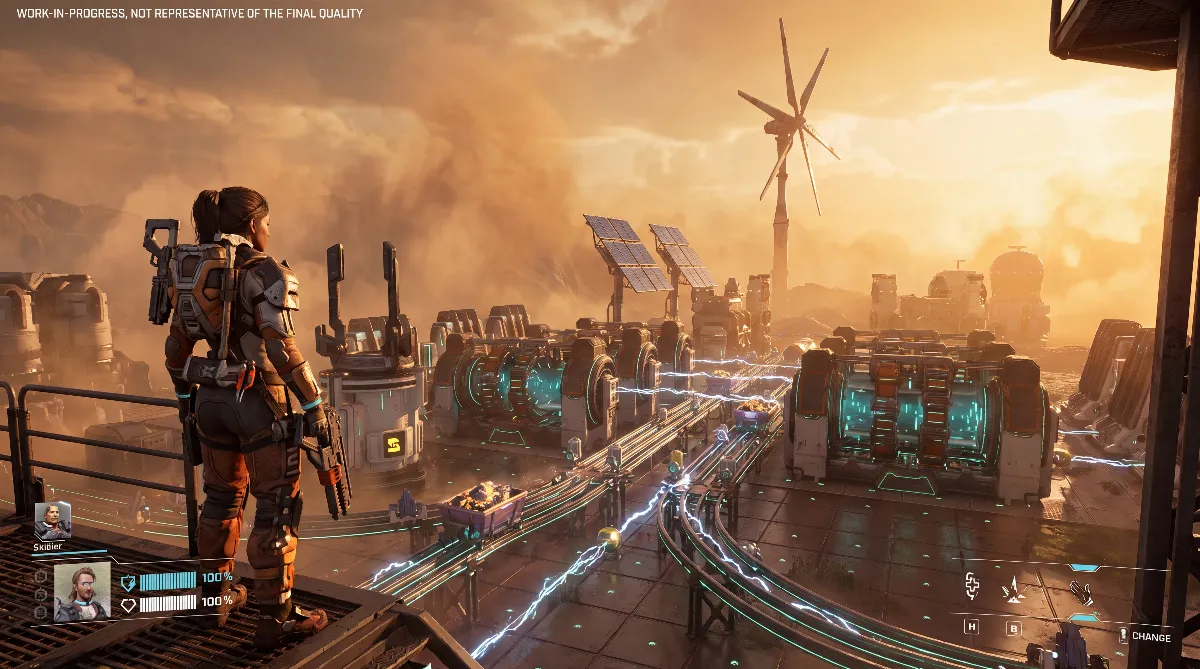
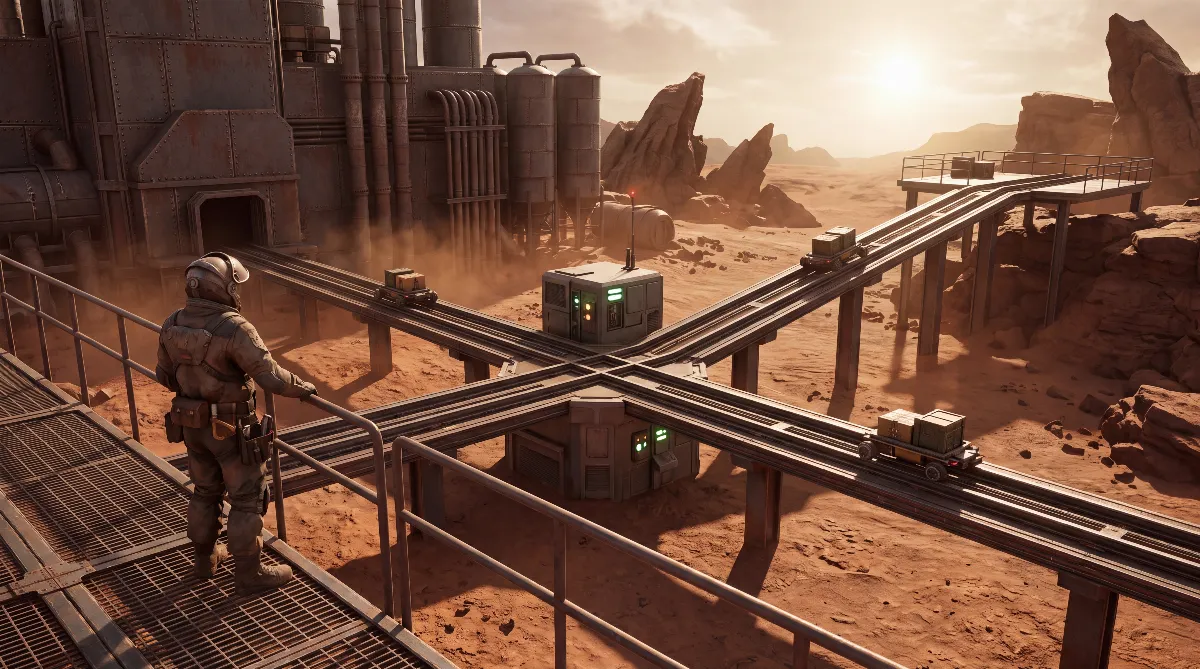
StarRupture has no moving belts. Instead, transport drones travel on fixed tracks from an output socket to an input socket. The rails are directional: there's a source and a target, and the direction arrows in the build preview show you which way things go. There's no reverse operation.
The second big difference is the request principle. According to community observation, the rails work as a pull system: only what the target machine actually needs right now gets transported. A full target storage doesn't stop the line because of an error, but because nothing is being requested. That explains most "my rail isn't moving" cases.
On top of that comes something many players from Satisfactory or Factorio don't expect: in StarRupture, rails carry power at the same time.
🔀 Crossing StarRupture Drone Rails: Three Clean Ways
The most important rule first: rails can't pass through each other. Two lines that need to cross at the same height block each other, so the part won't place or the preview stays red. StarRupture builds in three dimensions, and that's exactly how you solve it.
Option 1: go up a level. Raise one of the two lines on pillars and let it run over the other. It's the most stable option, only costs building material and makes the crossing visually clear. Plan the height difference generously so the drones have enough clearance.
Option 2: the roundabout. Update 1 added the Roundabout Rail Connector. Its official description reads: "A connection for Drone Rails. Allows for the splitting and expanding of their paths in a more organized way." It bundles several inputs and outputs at one node instead of letting them cross. Update 2 also reworked the Drone Roundabout: it no longer slows drones down but moves them as fast as the fastest connected rail.
Option 3: the Rail Modulator. In the game, this part works as the classic splitter and merger for drone rail paths. Two lines that would otherwise have to cross can often be merged into one shared line and split up again at the destination.
Tip: first check whether the crossing is needed at all. A roundabout often replaces two crossing lines with a single route.
📐 Building Slopes and Height Differences Cleanly
Height differences are the second constant headache. Rails need support points, and those come from Rail Supports and Pillar Supports. Before Update 2 you had to place pillars one by one at the right height; since September 2, 2026 this is much faster.
In the Update 2 patch notes, Creepy Jar lists three concrete changes. Pillars now adjust their height automatically when you place them under existing platforms. When placing them freely on the ground, you set the height with the mouse wheel. And the new "Add Pillars" function in Building Mode automatically puts pillars under the building you're placing.
There's another change that's hugely useful for crossings: platforms can now snap to the sides of pillars. That lets you build a second line right next to an existing row of pillars without raising a complete second support structure.
Two bug fixes from the same patch notes hit exactly this topic. Sampling junctions stopped working once the height of the pole had been changed; that's fixed. And the build preview of a rail could collide with another rail at the same junction; also fixed. If you struggled with crossings before September, give it another try.
One more note on pillars: according to the summaries of Hotfixes 0.3.4 and 0.3.5 (September 17 and October 5, 2026), Creepy Jar changed the pillar mechanics again. Every pillar in an older save gets replaced on the first load, which can take several minutes on large saves.
📊 Throughput, Multirails and Bottlenecks
In StarRupture, bottlenecks come less from raw line speed and more from competition on one route. A rail that several machines pull from at the same time becomes a choke point, not because it's too slow, but because the requests take turns.
| Clever Robotics level | Unlock | Use |
|---|---|---|
| Level 1 | Rail v.1, Rail Support, Rail Connector | Basic line and supports |
| Level 4 | Building Drone | Building help |
| Level 5 | Multirail 3, Rail Modulator 3 | Three lanes, splitter |
| Level 6 | Zipline Pole, Zipline | Moving yourself, not goods |
| Level 8 | Roundabout Rail Connector | Organized junctions |
| Level 10 | Multirail 5, Rail Modulator 5 | Five lanes, large splitter |
The levels come from the community-run StarRupture wiki on wiki.gg, which shows the reward tree after Update 1, not from an official table. Older lists that put Rail v.2 at level 6 and Rail v.3 at level 11 date from before Update 1. Rail v.2 is now an upgrade you buy at the Development Station (Moon Energy level 5), and Rail v.3 no longer appears in the Clever Robotics tree either.
The in-game part descriptions state the speed per tier: 120 items per minute for Rail v.1, 240 for Rail v.2 and 480 for Rail v.3 (as listed on metaforge.app, a database built from the game files). Rail v.2 also needs a Development Station task, building 1,000 units of drone rail, before you can buy the upgrade. The practical rule still holds: a single rail covers several machines as long as only one of them pulls at a time.
Also worth knowing: Multirails are considered buggy. Players report drones jumping between lanes and lines that only run single-lane after an edit. Update 1 officially fixed one of these cases, where drones could teleport between lanes in Multirail 3 and Multirail 5. For high volumes, experienced players still recommend several simple lines over one Multirail.
🔗 Connecting Extractors and Machines
When connecting, only one thing counts: the rail has to actually snap onto the machine's socket, not just end next to it. A common beginner mistake involves the Ore Excavator: you can't attach a generator to it directly. It draws its power through the rail from a machine that's already powered, such as a Smelter. How the grid works and in which ratio excavator, Smelter and Fabricator run is explained in detail in our StarRupture automation and power guide.
How many processors one extraction site can sensibly supply depends on the quality of the deposit. One experienced player puts the ratio like this: two ores every two seconds are enough for one processing machine, four ores for two, and eight ores for a maximum of four. This scale is a community figure and not officially documented in the game, but it's usable for planning.
Beyond a certain distance, a rail line stops being worth it anyway. For long routes there are the Cargo Dispatcher and Cargo Receiver, which since Update 1 are linked strictly one to one and automatically pack and ship every 20 seconds. If you want to move yourself rather than goods over long distances, see our guide on how to unlock the Teleporter.
💡 Quick Troubleshooting on the Line
| Symptom | Likely cause | Fix |
|---|---|---|
| Nothing moves, power is on | Target isn't requesting anything | Empty the target storage or activate a recipe |
| Preview stays red | Crossing at the same height | Go up a level or use a roundabout |
| Line ends in nothing | Not snapped onto the socket | Attach directly to the output |
| Multirail runs single-lane only | Known Multirail behavior | Reload or build single lines |
| Drone is stuck | Pathing issue | Tear down the segment and rebuild it |
Update 2 helps a lot with troubleshooting, indirectly: Z copies a building along with its settings, Ctrl+Z copies just the building, and multi-dismantle marks several parts at once. Affected structures are highlighted in red so you can see what else comes down. A messed-up section of line is replaced in seconds instead of minutes.
❓ Frequently Asked Questions about StarRupture Drone Rails
Can rails cross in StarRupture?
Not at the same height, because rails can't pass through each other. Raise one line a level on pillars, or replace the crossing with a Roundabout Rail Connector or a Rail Modulator.
How do I build a rail up a slope?
With Rail Supports and Pillar Supports. Since Update 2, pillars adjust their height automatically under existing platforms, can be adjusted with the mouse wheel while placing, and "Add Pillars" puts them under the building automatically.
Why is my rail not moving anything even though there's power?
Because the target isn't requesting anything. According to community observation, the lines work as a pull system: a full storage or a paused machine stops delivery without any defect.
Are Multirails better than several single rails?
Not necessarily. Multirail 3 and Multirail 5 save space but are considered buggy; Update 1 fixed a bug where drones teleported between lanes. For high volume, many players still rely on simple single lines.
What rail tiers are there?
Rail v.1 (120 items per minute) comes with Clever Robotics level 1. Rail v.2 (240) is an upgrade from the Development Station; Rail v.3 (480) is the fastest tier. According to official material, you can upgrade slower lines without tearing them down first.
Did Update 2 make the rails faster?
No. Update 2 "Quality of Life" brings building comfort and bug fixes, no new resources, zones or biomes. Only the Drone Roundabout got faster, since it no longer slows drones down.
✨ Conclusion
StarRupture drone rails are a directional drone network with request logic, not conveyor belts. Once that clicks, you solve crossings with height instead of tinkering, build slopes with pillars and look for bottlenecks where several machines pull from the same line.
Update 2 takes a lot of frustration out of rebuilding. Copying with Z, multi-dismantle and automatic pillar height turn half an hour of rework into a few minutes. Keep in mind that StarRupture is in Early Access and values can shift with every patch.
Checked against Creepy Jar's Steam news feed with the patch notes for Update 2 from September 2, 2026 and Update 1, plus the official part descriptions. Rail speeds come from the in-game descriptions as listed on metaforge.app. Marked as community figures and explicitly not officially confirmed: the unlock levels of the corporation rewards, the ratio of deposit quality to processing machines, and the pull behavior of the rails.
As of: October 8, 2026. Creepy Jar didn't give Update 2 a version number; the last named version before it was Hotfix 0.2.8 from June 17, 2026. Since then, Hotfixes 0.3.2 (September 4), 0.3.3 (September 14), 0.3.4 (September 17) and 0.3.5 (October 5, 2026) have followed. 0.3.2 doesn't change anything about the rails; for 0.3.3 to 0.3.5, only the summaries were available for this check.