Red Dead Online Solo Lobby on PC: Step-by-Step Guide
You create a closed Red Dead Online solo lobby on PC with the Moonshiner role and a firewall rule: start a Moonshiner mission and wait, switch to the Character Editor, return to Free Roam and then enable an outbound firewall rule in Windows Defender. In a closed solo lobby, no griefers or modders bother you, animals spawn again and Free Roam Events run undisturbed.
A closed Red Dead Online solo lobby is the best way to get rid of griefers and modders, bring the animals back into the world and enjoy Free Roam Events and Hideouts in peace. This guide shows the fastest method on PC.
🤠 What a Red Dead Online Solo Lobby Gets You
In a normal, full lobby, other players interrupt you constantly. A solo lobby solves exactly that:
- No griefers or modders: nobody can join your lobby.
- Animals spawn again: perfect for farming pelts and meat.
- Distant deliveries without stress: no random player sabotaging your sale.
- Free Roam Events work: Hideouts and more.
| Situation | Full public lobby | Closed solo lobby |
|---|---|---|
| Other players | can show up and interfere at any time | nobody can join |
| Griefers and modders | a constant risk | locked out |
| Animals | often scarce | spawn again |
| Distant deliveries | can be sabotaged | run without stress |
| Free Roam Events | frequently disrupted | run undisturbed |
🔑 What You Need
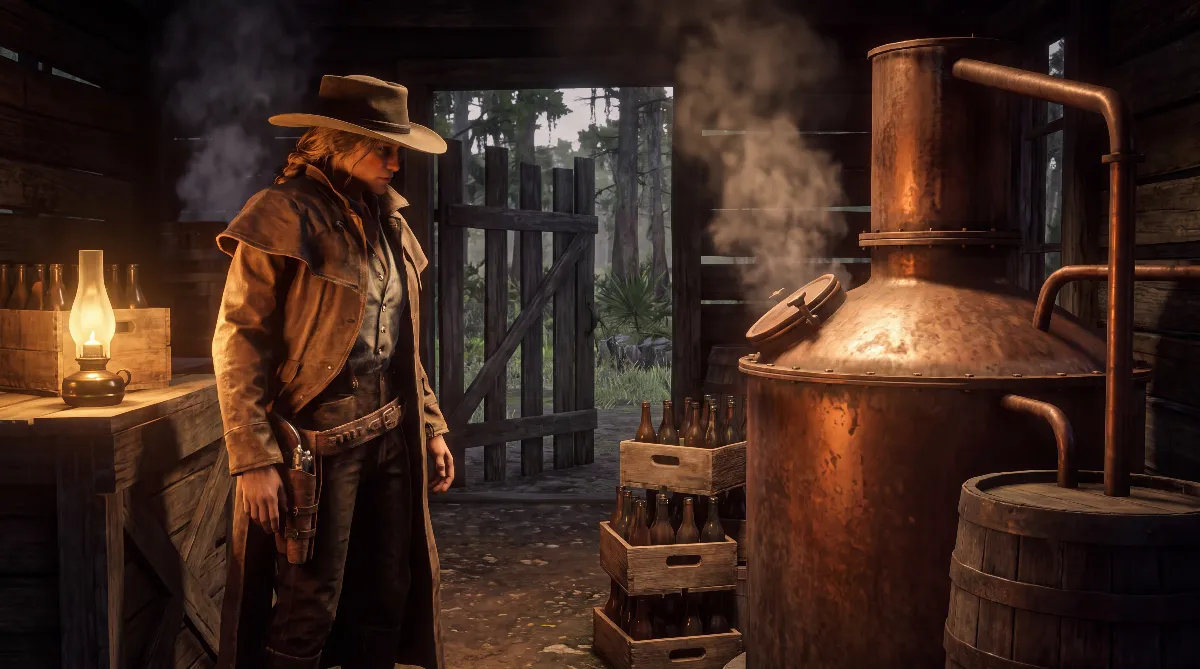
This method requires the Moonshiner role. Without it, the trick doesn't work. You get the role from Maggie Fike at Emerald Ranch.
You also need an outbound firewall rule in Windows Defender that you've prepared ahead of time and only switch on at the right moment.
Quick checklist before you start:
- The Moonshiner role is unlocked on your character.
- The outbound firewall rule exists in Windows Defender but is still switched off.
- The game is already running. Never launch it with the rule active.
🛠️ How to Create a Red Dead Online Solo Lobby, Step by Step
Step 1: Start a Moonshiner Mission
Start any Moonshiner mission through your Moonshiner role. After it starts, wait 1 to 2 minutes without doing anything.
Step 2: Open the Character Editor
Switch to the Character Editor. Wait there for another 2 to 3 minutes.
Step 3: Back to Free Roam
The Character Editor closes automatically and you end up back in Free Roam.
Step 4: Enable the Firewall Rule
Now enable your prepared firewall rule (Windows Defender, block outbound rule). You're now in a closed Red Dead Online solo lobby.
| Step | What you do | Waiting time |
|---|---|---|
| 1 | Start a Moonshiner mission | 1 to 2 minutes, do nothing |
| 2 | Switch to the Character Editor | 2 to 3 minutes |
| 3 | Let the editor close and return to Free Roam | happens automatically |
| 4 | Enable the outbound firewall rule | done, you're alone |
🎥 Video Walkthrough
I also explain the trick in this video. Note that the narration is in German:
⚠️ Important Notes
- The solo lobby is gone as soon as you switch lobbies.
- You can't launch the game with the firewall rule already active. Always enable it after the game has started.
- Modders and griefers can't join your solo lobby.
📚 What to Do in Your Solo Lobby
Once you're alone in Free Roam, the lobby is ideal for long sales and hunting trips. The Red Dead Online Trader guide shows how to make the most of distant deliveries, and the Red Dead Online cooking guide covers what to do with all the meat you bring back. If you're new to the game, start with the Red Dead Online beginners guide for the roles and your first steps.
❓ FAQ about the Red Dead Online Solo Lobby
What do I need for a Red Dead Online solo lobby on PC?
The Moonshiner role (available from Maggie Fike at Emerald Ranch) and a prepared outbound firewall rule in Windows Defender.
How do I create the solo lobby step by step?
Start a Moonshiner mission and wait 1 to 2 minutes, switch to the Character Editor for 2 to 3 minutes, return to Free Roam and then enable the firewall rule.
Can modders or griefers join my solo lobby?
No. Nobody can join a closed solo lobby.
Does the solo lobby last forever?
No. It's gone as soon as you switch lobbies.
Can I start the game with the firewall rule already on?
No. Launching the game with the rule active doesn't work. Start the game first, go through the steps and only then enable the rule.
Why is a Red Dead Online solo lobby worth it?
In a closed solo lobby, no other players get in your way, animals spawn again for farming pelts and meat, distant deliveries run without sabotage and Free Roam Events like Hideouts work in peace.
✅ Bottom Line
A closed solo lobby is the perfect fix for anyone who wants to enjoy Red Dead Online in peace. Animals, events and deliveries, all without interruptions. Have fun in Free Roam!
Method checked against the PC version of Red Dead Online as of October 2026.